OpenAI dots for sales: what to hand off and what to keep
How a seller can use OpenAI's new dots: a setup checklist, prompts to copy for before and after calls, and the live-call gap OpenAI's own pages leave open.
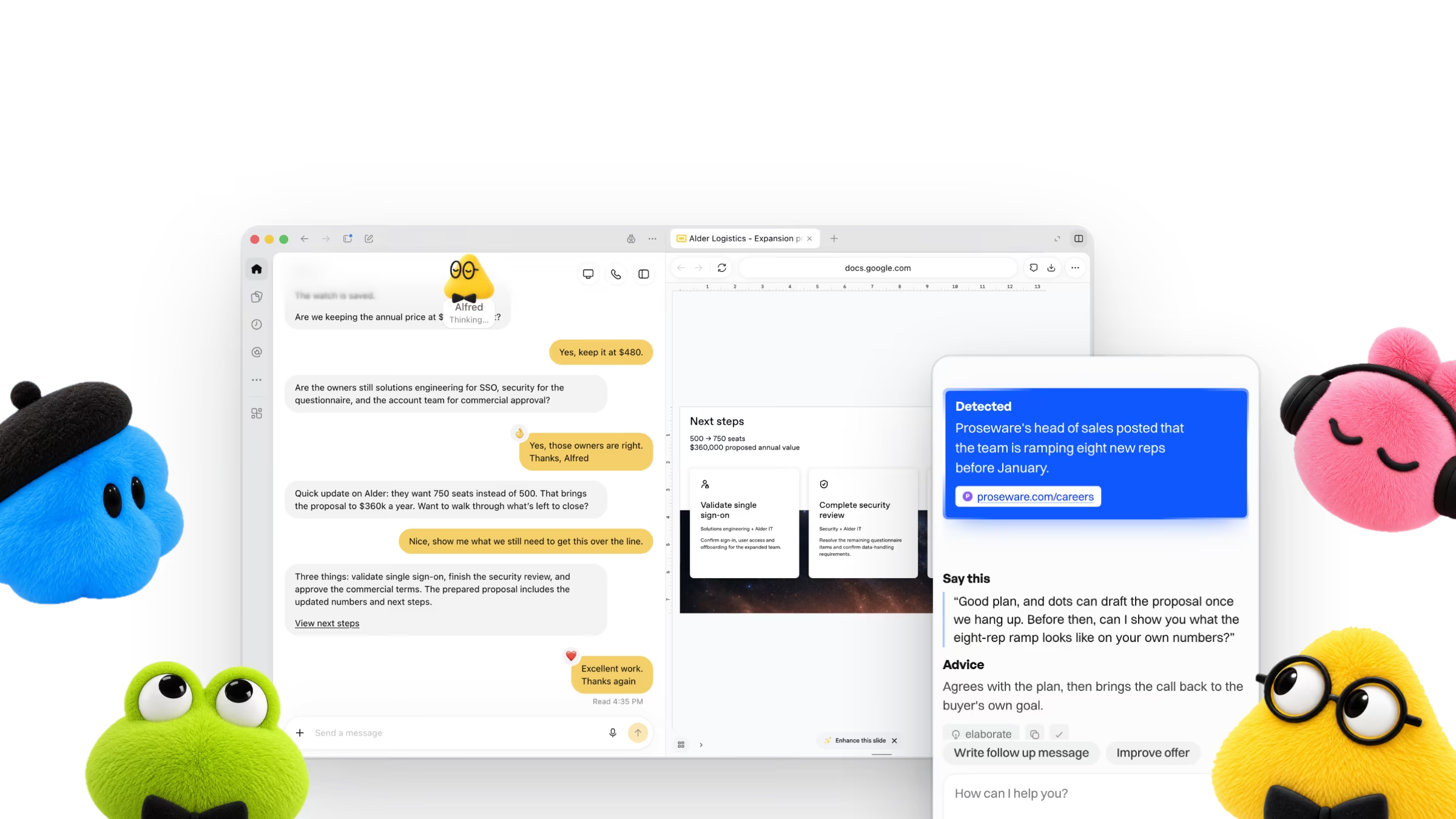
OpenAI launched dots on 29 September 2026. If you sell for a living, the question that matters is a small one: what can a dot take off my week, and what do I still have to do myself?
This post answers it from OpenAI’s own pages. We read the launch post, the Help Center, the admin guide, the safety post and the system card on 7 October 2026. It is a close reading, not a review. A dot has not been run on a live pipeline for this post, and the product is days old. Where OpenAI says nothing, we say so.
What a dot is
OpenAI calls dots “always-on agents”. Each one has its own cloud computer and browser, keeps working between conversations, and uses the apps you connect to it through plugins. You talk to it in ChatGPT, by voice call, or in Slack. You create it on desktop.
Dots are included with ChatGPT Pro and Business Premium, and the first one costs nothing extra. They are not on Free, Go or Plus, and Pro access leaves out the EEA, the UK and Switzerland. OpenAI’s Help Center lists Pro at $100, $200 or $500 a month and a Business Premium seat at $100 a month billed annually. Enterprise workspaces can try a beta once an admin turns it on. OpenAI has not published usage terms beyond the first month, and its own pages show prices slightly differently, so check its pricing page before you plan around a number. Checked on 7 October 2026.
The sales example in the launch post is a deal in technical review. The dot checks the customer’s requirements against product docs, plans the tests, builds a proof of concept and keeps the proposal current. The people “focus on customer conversations and approve commitments.”
Set up a dot for selling
OpenAI’s own setup is short: create the dot on desktop, connect your apps, let it introduce itself. If you sell, this is the order to use.
Your first dot, set up for selling
- Create your dot in the ChatGPT desktop app and give it a name
- Connect the apps you sell from (calendar, inbox, CRM), after checking each one works with dots
- Add a Custom Rule that needs your approval before anything goes to a customer
- Add a Custom Rule that blocks changes to your CRM until you trust its drafts
- Tell it your product, your buyer and your tone in one message
- After its first task, open Activity View and read what it did
The checking matters. OpenAI’s plugin directory lists Salesforce, HubSpot, Gmail and Google Calendar, among others, but no page we read says which plugins a dot supports. Test one before you build a routine on it.
What to hand to a dot
Everything below happens around a call. Copy a prompt, change the brackets, and run it once on a call you already had before you trust it. The prompts are ours, written to fit what OpenAI says a dot does. They are not from OpenAI’s docs.
An hour before each call, you want one page, not a research project.
Brief me an hour before each call
Look at my calendar for tomorrow. For each call with someone outside my company, write a one-page brief:
- Who they are and what they own, from their public profile and our past emails.
- What they asked for last time, in their words.
- Two questions to ask, shortest first.
If you cannot find something, say so. Do not guess.
This is where a dot saves the most typing and risks the least, because you read the drafts before anything leaves.
Draft the follow-up and the proposal edits
After my call with [name] at [company], find my notes and the email thread. Then:
- Draft a follow-up email in my voice, under 120 words, with one clear next step.
- List what changed in their requirements since the last proposal.
- Draft the proposal edits for those changes.
Do not send anything. Show me the drafts.
Slow deals die quietly. A sweep catches them. We have not confirmed that a dot can run this on a schedule, so the prompt asks it to say.
Sweep for stalled deals
Go through my open deals. List the ones with no activity in 10 days, say what the last contact was, and draft a one-line nudge for each. Do not send them.
Then tell me whether you can repeat this every Friday afternoon.
What to keep for yourself
OpenAI also publishes its own numbers, which is rare and worth reading.
17.4%
That is the case for the approval rule in the checklist, not against dots. A dot you can stop is a dot you can use. Two things always stay with you, OpenAI says: changing a password and moving money between your accounts.
The part the launch leaves out: the call
Read OpenAI’s examples again. A bug appears in Slack. A design arrives. A planning cycle starts. A publication goes uninvoiced. The sales example is a deal in technical review. Each one is work around a conversation. None of them is the conversation.
We looked for the live call. The voice call OpenAI describes is you talking to your dot, and at launch a dot cannot start calls. We found no page that describes a dot joining, listening to, transcribing or helping during a customer call on Google Meet, Zoom or Teams, and no meeting bot or captions feature. That is not the same as OpenAI saying it cannot. It is OpenAI not saying it can, a week into a product that will change.
| Moment | A dot, per OpenAI | Axelize |
|---|---|---|
| Researches the account before the call | Yes | Yes |
| Helps while the buyer is still talking | Not described | Yes |
| Drafts the follow-up after the call | Yes | Yes |
| Reaches other apps through plugins | Yes | No |
If you sell on live calls, the second row decides the outcome. A dot can leave you better prepared and quicker afterwards. The seconds after a buyer pushes back are still yours.
Here is the uncomfortable part. Once a dot does your prep and your paperwork, the call is the only step in the deal still done from memory. Every other step gets a second pair of hands, and the better your dot gets, the wider that gap looks.
On a demo call, Miriam Graham from Proseware says: “We're going to wait and see what OpenAI's dots can do before we buy anything new.” Axelize finds: Proseware's head of sales posted that the team is ramping eight new reps before January. It suggests: “Good plan, and dots can draft the proposal once we hang up. Before then, can I show you what the eight-rep ramp looks like on your own numbers?” Agrees with the plan, then brings the call back to the buyer's own goal.

That is what Axelize does. It runs as a browser extension beside your Google Meet call, reads the live captions, and writes your next sentence in your own words, from what it already knows about the account. Set it up on your next call. No bot joins the meeting and no audio or video is recorded. Axelize works with Google Meet. Zoom and Microsoft Teams are on the roadmap, and every plan is paid. Current prices are on the pricing page.
Where to start
Start with the follow-up prompt. It saves the most typing and carries the least risk, because you read the drafts before anything leaves. Add the morning brief once the drafts are good. Keep the call for yourself, and if you sell on live calls, give that moment its own help.
Axelize is not affiliated with, endorsed by or partnered with OpenAI. Dots and the dot characters on the cover are OpenAI’s, shown to illustrate its announcement. Facts checked on 7 October 2026.